











Select the auction you want to move. Click the 'For Silent Auction' field. Select the new auction.
Be careful, if the donation already received bids, duplicate the donation and use the duplicate instead of the original.


Personalize your attendee sign-in & collect payment information.

Organize donations by tables (Spa-table, Travel-table, etc.)
Built for people who value their time.
Display all donations on one report for your accountant.
Silent Auctions are a breeze with Pearl Bids. Now you can breathe easily...
You only need to register your attendee once - to assign them a bid number and to contact them for your next auction.
Stir up excitement by giving attendees mobile access to donations in advance!
Use the preset template to easily compose Thank You letters. You can one, multiple, or to all your donors at once!
Keep track of non-auction purchases as well!
Pearl Bids allows you to record the method of payment, amount, add details. All is added to the attendee's account.
You choose whether your bids sheets will have the dollar values pre-filled or not.

It's easy to create a certificate which provides all the info the winner will need redeem their win.
Print large bidding numbers on the personalized attendee auction sheets.
We keep you organized, so you can relax ...
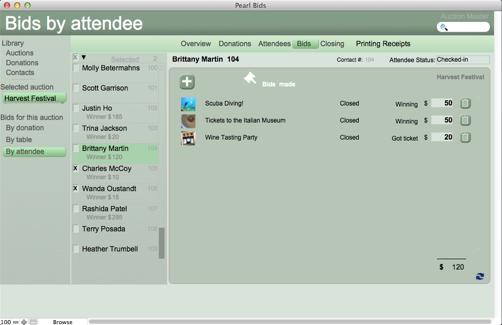
Who are your auction's highest bidders?
Automatically generate branded bid sheets.
View how your auction is doing, all in one blink.
Add pre-event or non-auction items into the attendee's account. These items will be reflected on their final invoice, reflecting payments made.
Send out an email and invite your supporters to register and/or preview your auction in advance!
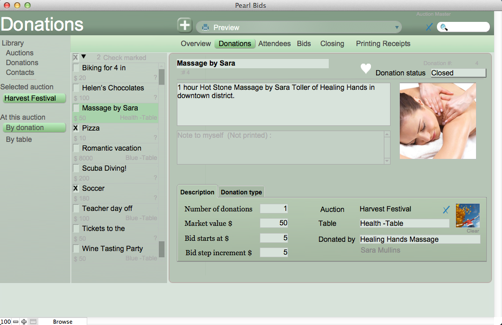
View all donations in your auction in an iTubes-like interface.
Have items with multiple winners - such as a Mother's Day Out? No problem! Pearl Bids will keep track of the winners and alert you when you're sold out!
You are going to love it! Silent auctions have never been easier.
Pearl Bids generates your auction flier on the fly.
Who are your auction's highest bidders?
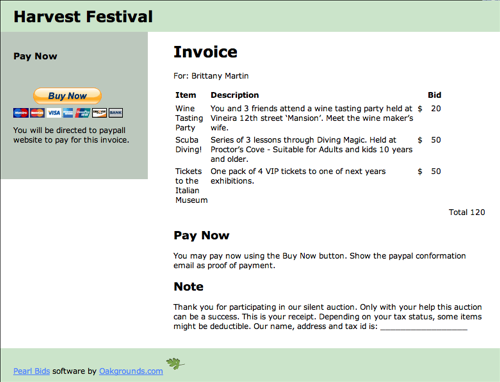
Easily email receipts that include a PayPal Buy-Now button.
Add a few more details to your item description and - snap - you have a display sheet ready. Perfect for those live-bid items or any donation that requires a bit more detail then you'd like to include on thebid sheet.
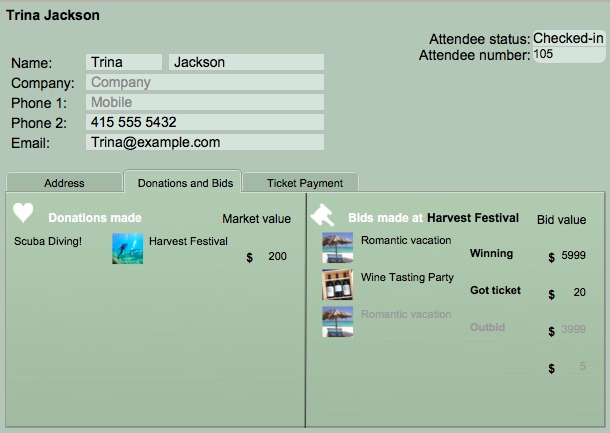
Easily see what your attendees have donated in the past, and what items they have bid on at this auction.
Make printing your winners' receipts a breeze.
Enter your winning bids by the closed table.
ith Pearl Bids Rapid Bid Entry feature, the administrator can invite others to enter bids as well, allowing volunteers to enter bids into the system using their phone, making your auction closing fast and easy.
ith Pearl Bids Rapid Bid Entry feature, the administrator can invite others to enter bids as well, allowing volunteers to enter bids into the system using their phone, making your auction closing fast and easy.


Simple as 1 - 2 - and 3; the bids are recorded!
Pre-set bid sheets allow you to allow for multiple winners all at one price-

or if you have several of the same item donated, choose to have more than one top bidder walk away a winner.

Select the auction you want to move. Click the 'For Silent Auction' field. Select the new auction.
Be careful, if the donation already received bids, duplicate the donation and use the duplicate instead of the original.
Pearl Bids silent auction manager is the perfect tool to easily set up, keep track, and run your silent auction.
Scroll through the feature slides or watch some of the how-to videos to see for yourself why our customers continue to use Pearl Bids year after year for all of their silent auction events.
*The original downloadable Pearl Bids is available as an alternative for those who do not have wifi access at their event.
"I loved Pearl Bids Silent Auction Management Software!" - Linda from Denver, Colorado
"We had a great silent auction- in great part thanks to your software." - Jessica from San Jose, California
"We've used Pearl Bids Silent Auction Management Software for two years in a row. The event was a smashing success, and Pearl Bids was a big part of that!" - Roger H.
"The software was very helpful. It saved us a lot of time." - Jody G.